How to use
How to use Chat Transfer
Install from the Chrome Web Store. Then hop, copy, or export the chat you have open.
Version 0.4.0. Pin it from the Chrome puzzle menu.
Hop
-
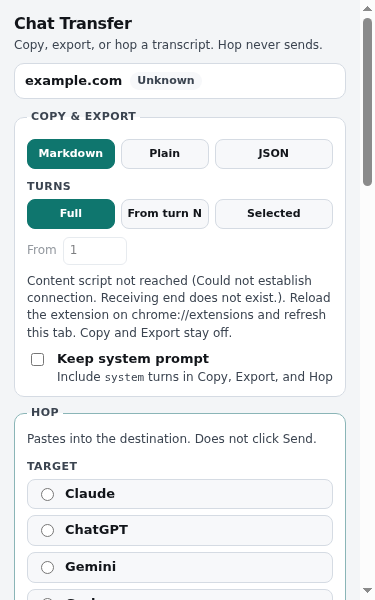
Open the chat
-
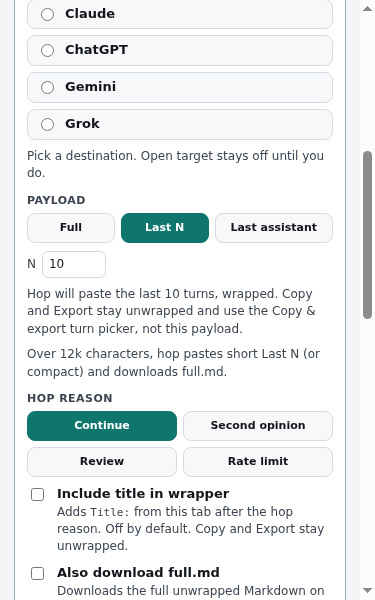
Pick a target
-
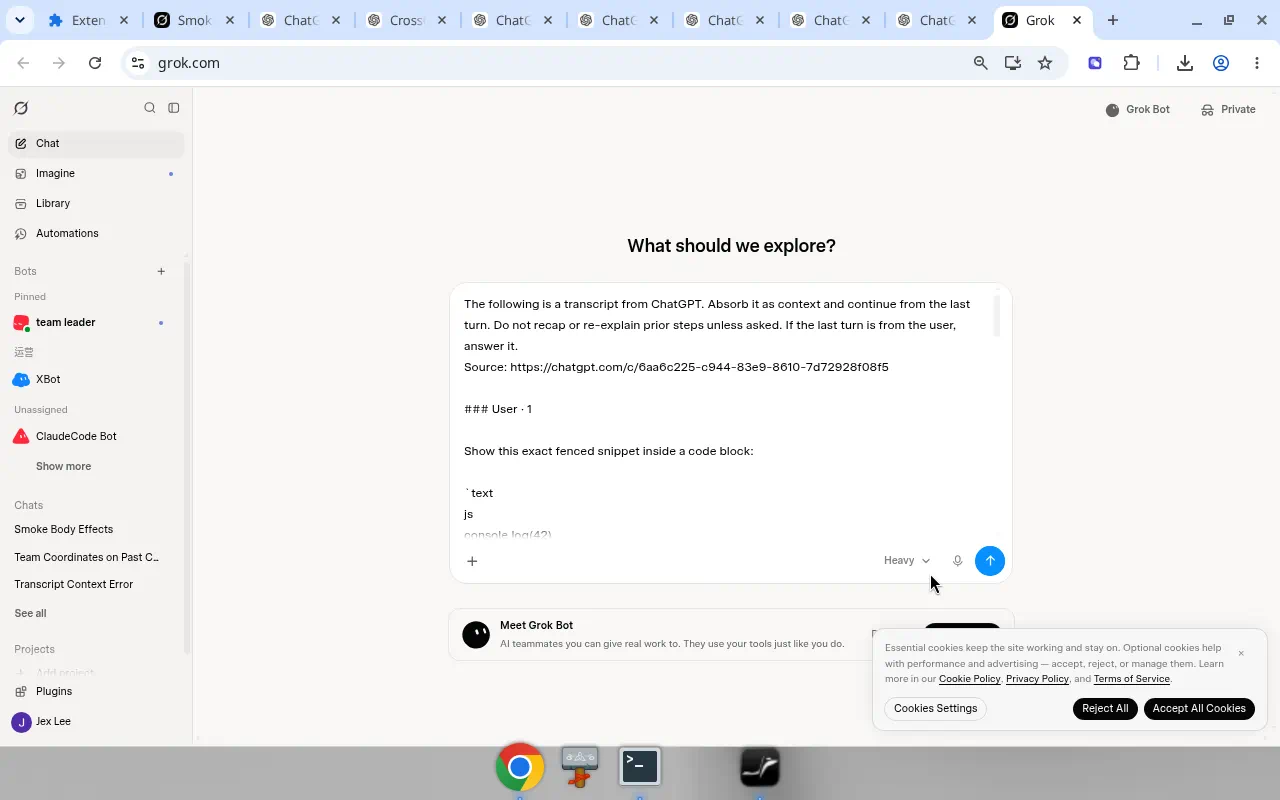
Paste lands
-
You press Send
Payload: Full, Last N (default 10), or last assistant. Paste does not silent-send. Soft Auto-Send is opt-in, default off, and asks once: “Send this hop now?”
Copy and export
-
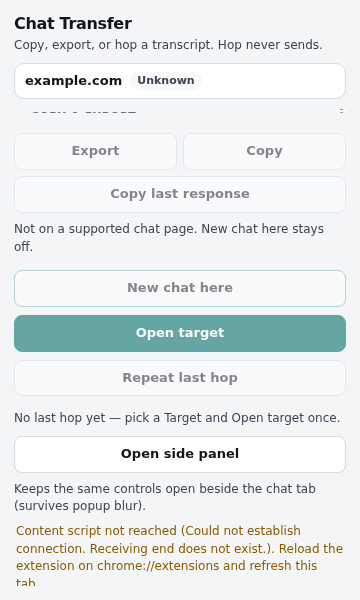
Copy Full unwrapped transcript, or the last assistant turn. -
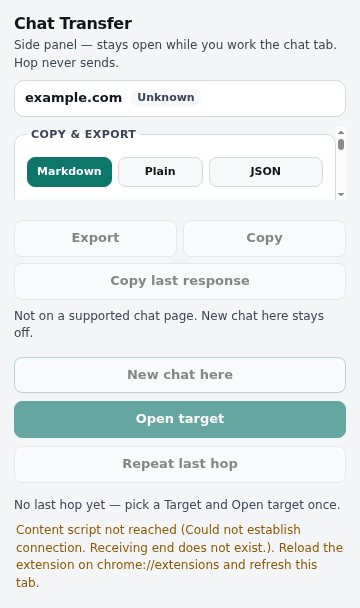
Export Download .md or .txt on this device.
Long hops
Over about 12k characters, the composer gets a short Last N (or compact) paste and the full unwrapped Markdown downloads. Copy and Export stay full.
Privacy defaults
- Demo mode is off.
- No backend. Chats are not uploaded.
- Soft Auto-Send is off until you turn it on.
Search Grok history locally · Export Grok chat to Markdown · Export Claude chat to Markdown · Search Claude history locally · Search ChatGPT history locally · Hop Grok to Claude · Hop Gemini to Grok · Hop Claude to Grok · Hop Grok to ChatGPT · Hop ChatGPT to Grok · Hop Gemini to ChatGPT · Export ChatGPT to another AI · Hop Claude to ChatGPT · Hop a ChatGPT chat to Claude · Hop ChatGPT to Gemini · Soft Auto-Send · Privacy policy
Load unpacked (developers)
Open chrome://extensions, turn on Developer mode, choose Load unpacked, and select the extension/ folder from the project.